Workflow Redesign
ROLE
Project Lead
Process Designer
Strategy
Sketching
Prototyping
CLIENT
Smarthistory
TOOLS
Trello
Unito
Miro
HelloEpics
Smarthistory, the Center for Public Art History, produces 400+ pieces of peer-reviewed content by internal and external contributors every year and manages dozens of grant-funded projects with institutions around the world.
However, its legacy workflows were causing breakdowns in communication, bottlenecks, and difficulty tracking progress on a project and portfolio level.
The growing team needed a redesigned workflow system that could track the progress of content and projects as they passed from hand to hand in order to improve short- and long-term decisions and reduce operational friction.

Research and Analysis
Created a flowchart of the existing production process and identified gaps and pain points
Fielded feedback from the team about their individual pain points
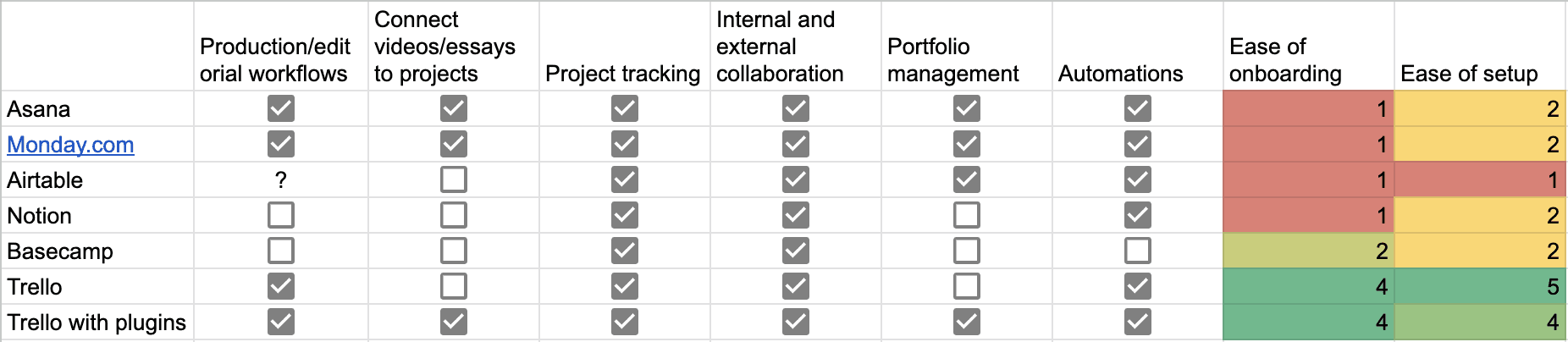
Did a feature comparison of project management tools alongside the team's needs
Criteria
Clarity about deliverables
The workflow tool should create clarity about (1) types of deliverables, (2) respective workflows for each type, and (3) expectations about when and how to update the status of a deliverable throughout the workflow.
A single source of truth for projects
The tool’s design should create a single source of truth for project timelines, requirements, and deliverable status.
Supports internal and external collaboration
The tool should enable collaboration between external contributors the internal team. Staff should be able to control which communication gets delivered internally and externally.
Creates a dynamic, high-level view of all projects
The team should be able to view all of Smarthistory’s projects in one place.
Minimizes manual and cumbersome work
The workflow tool should reduce the amount of work the team does in managing deliverables and projects, not add to it.
Mindful of changing habits
Team members need to be bought-in at every stage of the design, creation, and implementation of changes to the workflow. Anticipate onboarding and reinforcement of new behaviors as habits change over time.
Recommended Platform
The decision was made to continue using Smarthistory's existing tool, Trello, in order to minimize change costs, and leverage Trello's features that weren't yet being used by the team, as well as external plugins, to improve the workflow design.
Sketching and Prototyping
Created a conceptual model of a new workflow system and got team buy-in
Received feedback from the team and iterated on the process design
Built a test prototype in Trello for a higher-fidelity version of the new process
Version 1
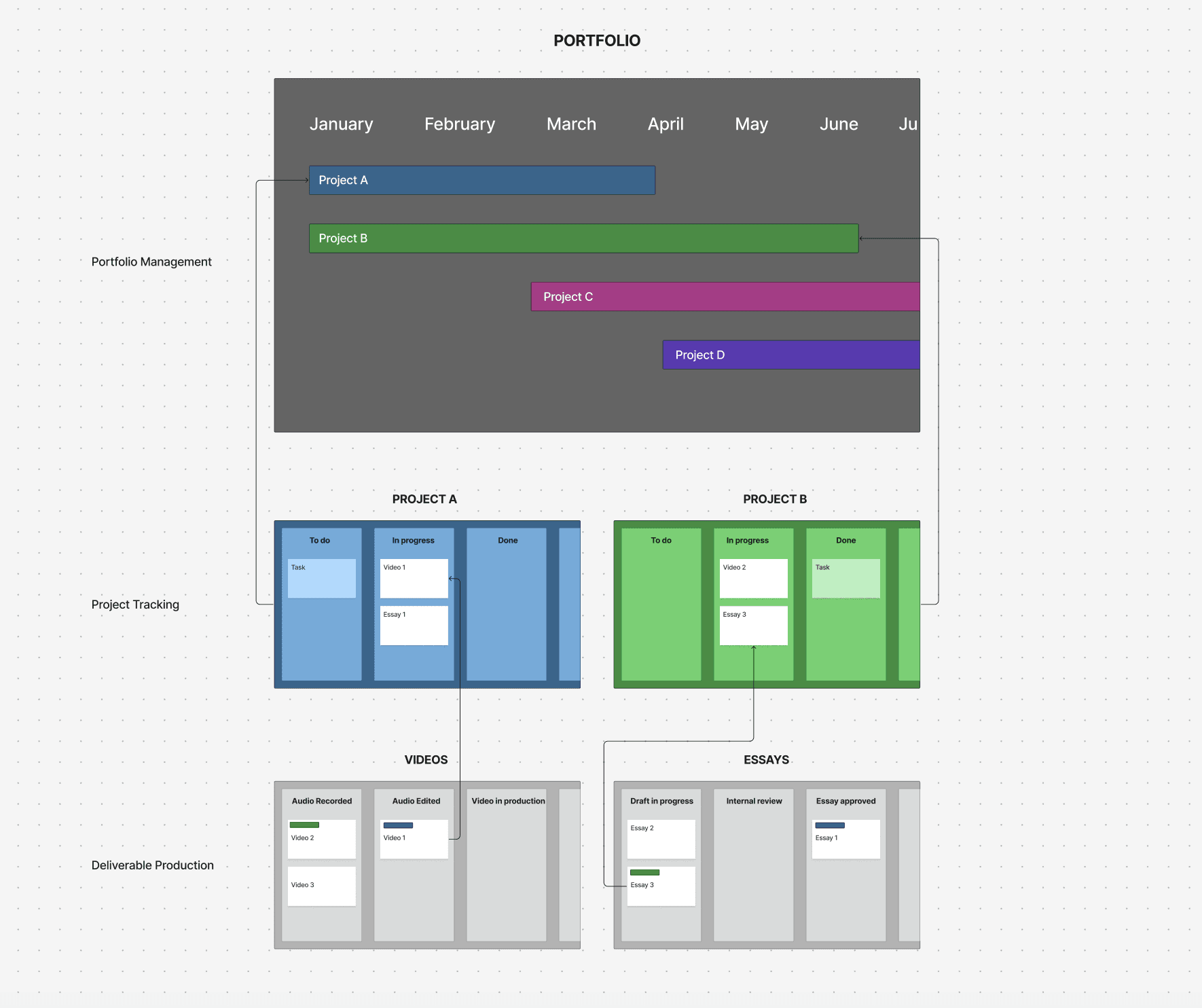
Deliverable Production Boards
Each type of deliverable has its own workflow, so each distinct workflow would be tracked and documented accordingly. Video deliverables would be managed on a video production board, essay deliverables on an essay production board.
Project Boards
Each project would have its own board to track its respective deliverables. To prevent redundant work, the deliverables on the project-specific boards would be bidrectionally mirrored on the production boards, so that statuses of each deliverable would be updated in real time. External partners could be added to project boards for collaboration and transparency.
Portfolio Board
All projects would be tracked on a portfolio dashboard, that could be viewed as a kanban, gantt, or calendar. Each project on the portfolio board would be linked to its respective project board.
Powerups and automations would allow for parent-child relationships and bidirectional information flows.
Iterative Adjustments
Bidirectional card relationships
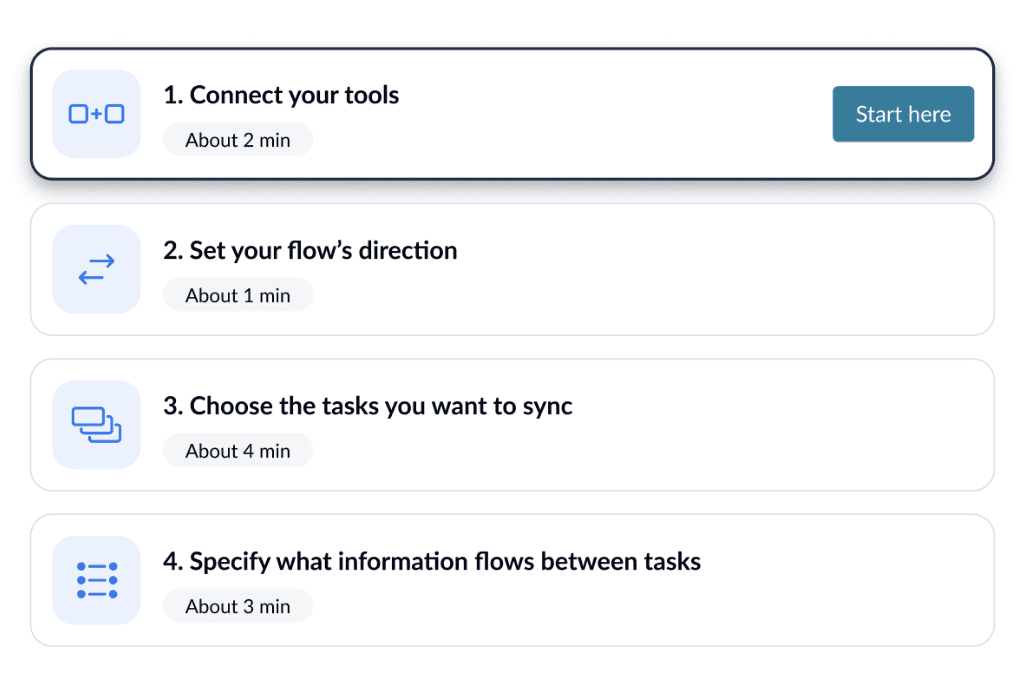
In order to build in relationships between cards across boards, I researched the tools Zapier and Unito. Unito supported bidirectional relationships between cards, and importantly, I could customize which fields were bidirectional and which fields were not, such as comments. I tested Unito in the dummy Trello boards, and found success.
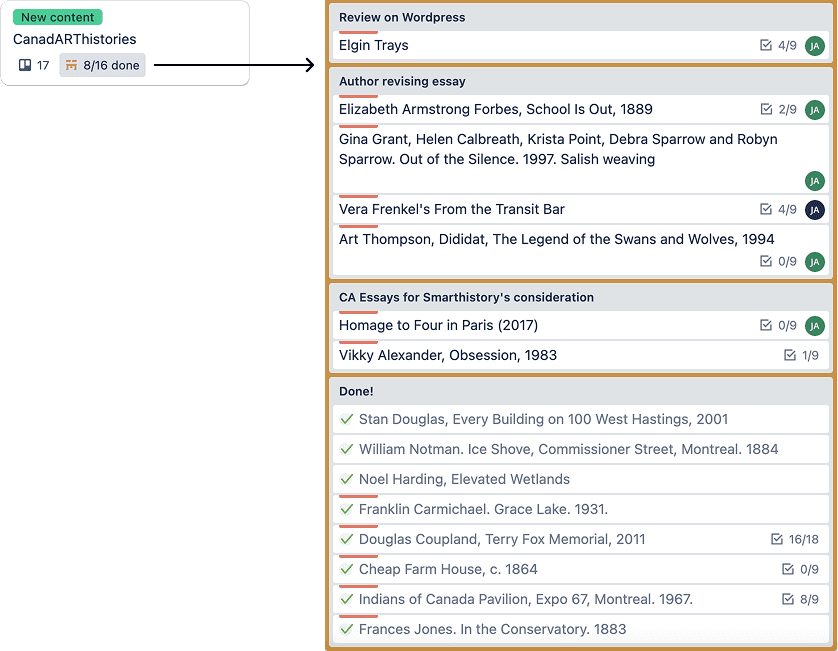
Project status snapshots on portfolio board
I added parent-child relationships between deliverables and projects, in order to create a live-updated snapshot of all of the child deliverable cards and where they were in their respective production workflows.
Automations, custom fields, and template cards
At this stage, I also started adding automations and counters that would reduce the manual work of repetitively doing the same actions; custom fields that would make information like grant funders and draft links standard on cards; and template cards to encourage consistency.
Implementation and Onboarding
Prepared onboarding sessions with staff
Created a channel for the team to ask questions and give feedback over time
Launched the boards in phases
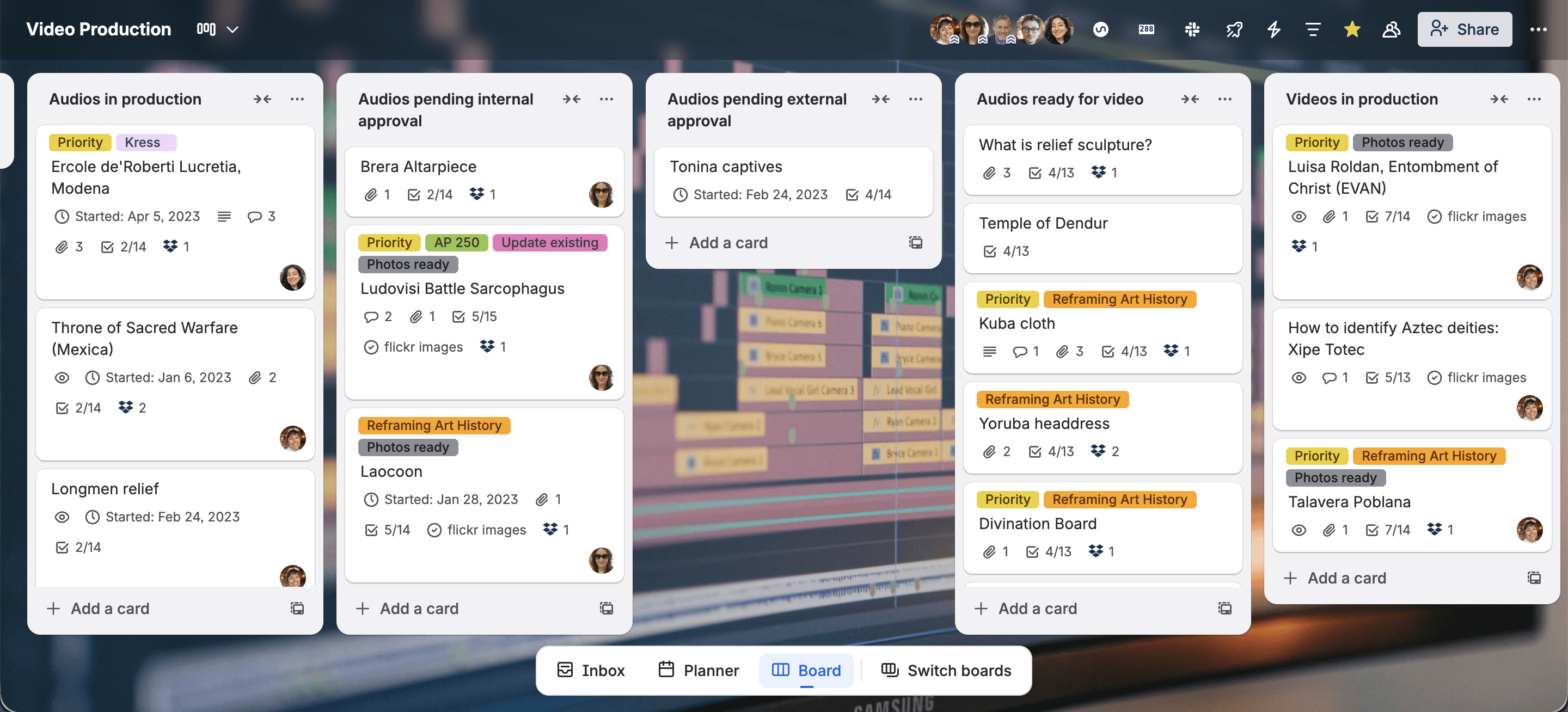
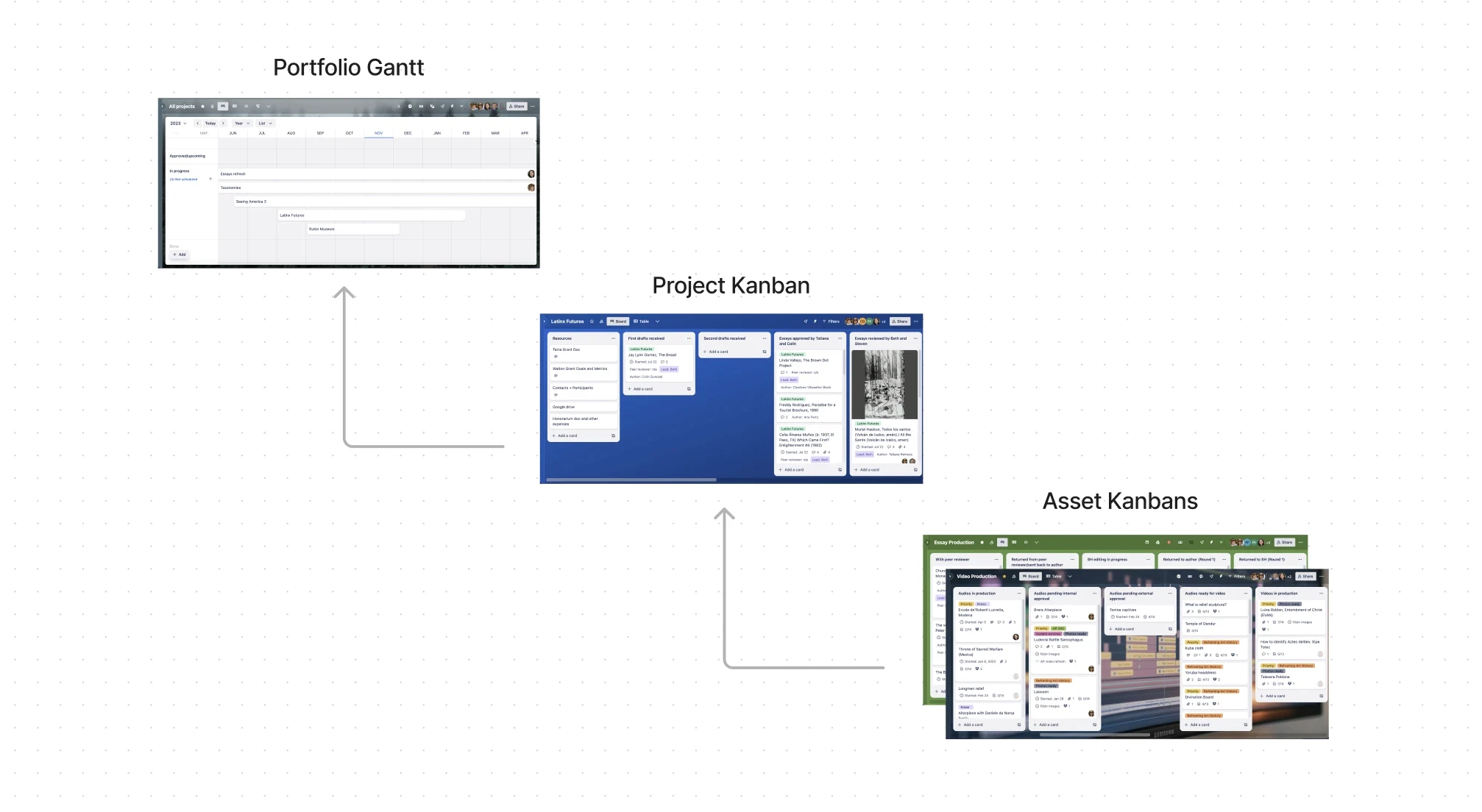
To meet Smarthistory's unique workflow needs, the new workflow incorporates three types of flows: one at the deliverable level, one at the project level, and one at the portfolio level.
Cards on each board are synchronized using Unito so that information cascades across different boards to allow for global updates.
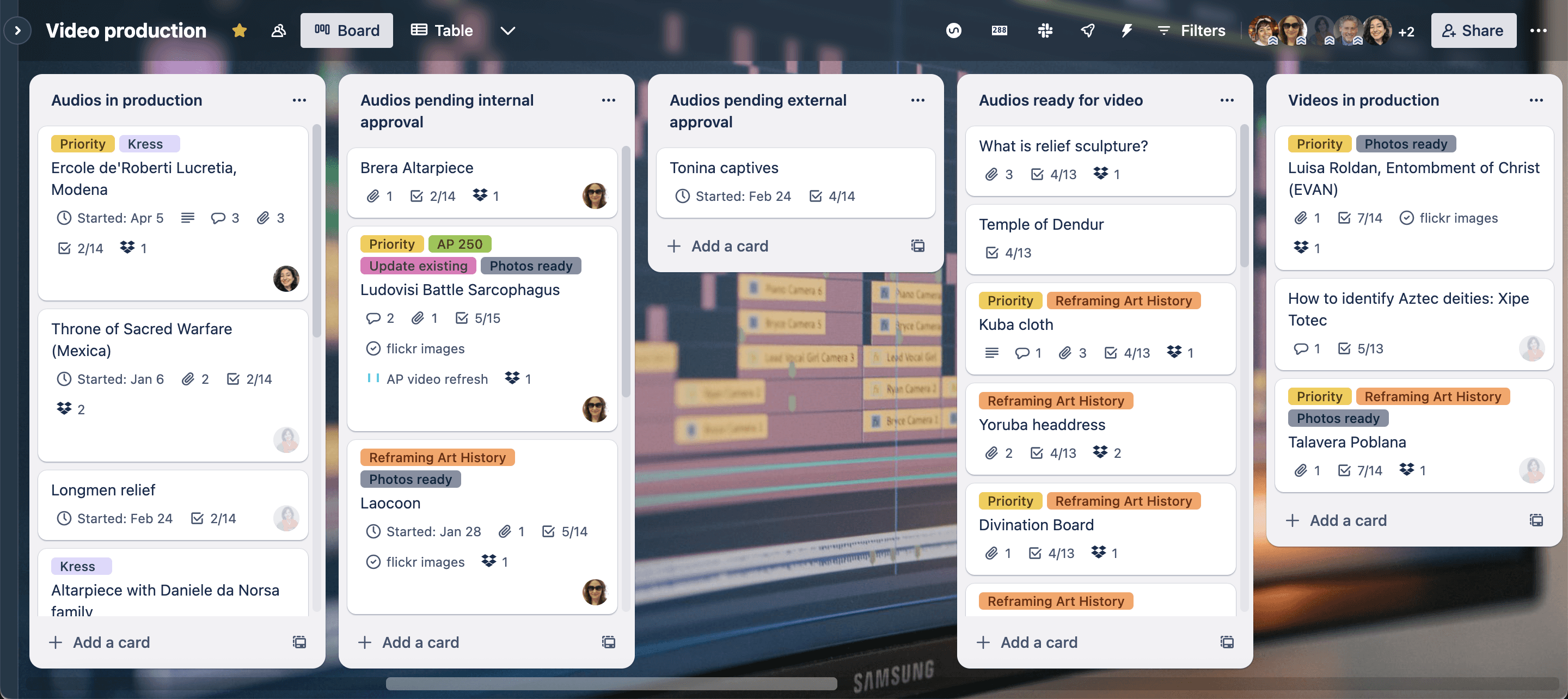
The deliverable production kanban boards track videos and essays through Smarthistory's internal production and editorial processes, while the project kanban boards track deliverables for a circumscribed project with external collaborators. The portfolio board creates a high-level view of all upcoming and ongoing projects, which the team can view in a gantt chart to understand team capacity and schedules over time.
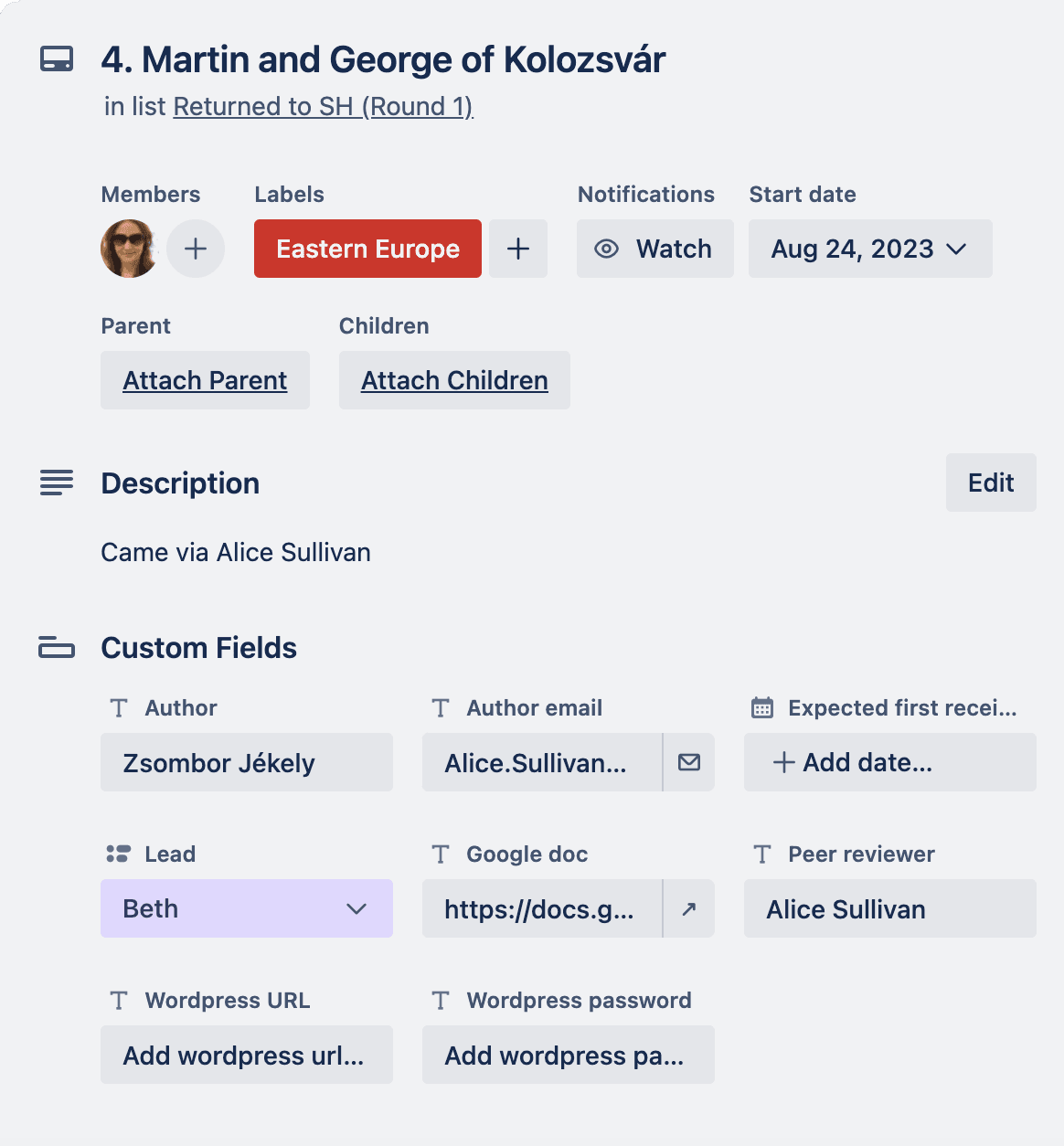
On asset cards, the new design created consistent standards for using labels and custom fields to ensure information about each deliverable could be found more easily as they passed hands throughout the production process. On project boards, new counter cards create visibility around overall progress of a project and track quotas for certain project requirements. And on the portfolio board, a project card contains a snapshot of the status of all its deliverables and tasks.
Impact + Results
What I'd do differently
Spend time doing more one-on-one discovery interviews at the beginning of the process to understand fully what technical barriers and habits would inform and inhibit adoption
Conclusion
One of the big takeaways for me from this project was about communicating a process change to a team that is used to a legacy way of doing things. I learned that repetition and reminders are a useful tactic to nudge users to change their behavior over time.
© 2025 Kayla’s Portfolio. All Rights Reserved.